![CoMetrics_Logo_CMYK-2.png]](https://help.cometrics.com/hs-fs/hubfs/CoMetrics_Logo_CMYK-2.png?height=40&name=CoMetrics_Logo_CMYK-2.png)
The HARDI Annual Benchmarking Survey (ABS) is an annual performance benchmarking tool designed for HVACR distributors. It allows members to measure and compare their operating performance against industry peers using a comprehensive set of financial and operational ratios. The survey takes approximately one hour to complete. If you are also a BLUE HAWK member, we have some additional information for you below.
Participants gain access to:
- A confidential summary report comparing your operating performance to the median results and high-performing members across an extensive array of performance ratios.
- A private (participants-only) review of the results in webinar format.
What to Submit:
The survey is an Excel spreadsheet, and once completed, is uploaded to your CoMetrics account. Keep reading for more details, and links to download the survey templates.
Quick Tips for Completing the Survey:
-
Look for emails from HARDI and/or support@cometrics.com regarding details about the survey, including deadlines for submission.
- Submit by the deadline to have your data included in the results and analysis, and to receive the ABS report from HARDI.
- Use the tabs in the form, to report
-
Download a template using the survey links below, for the fiscal year you are submitting for.
- Complete all required fields, marked with a red triangle in the upper-right corner of the cell.
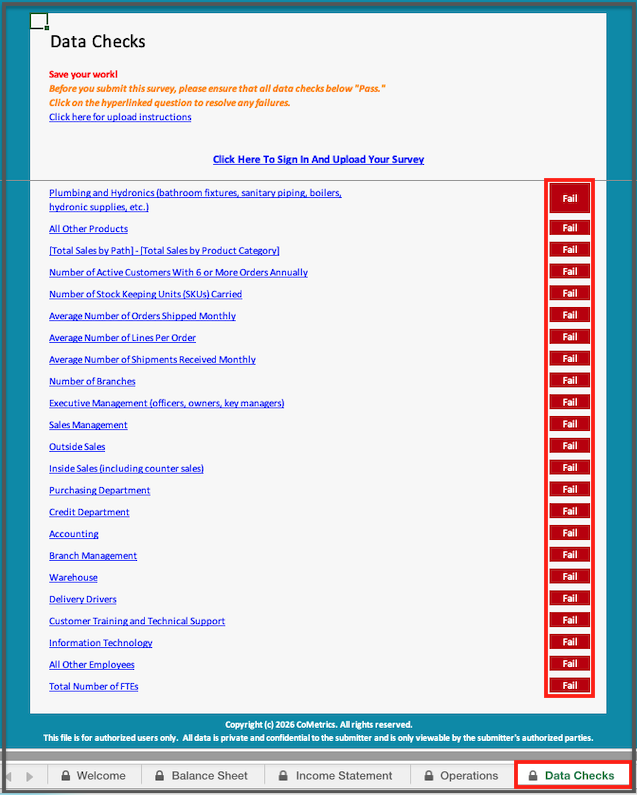
- Review the Data Checks tab to verify the survey is completed correctly.
- Be sure to save before uploading it to your CoMetrics account.
How to fill out your Annual Benchmarking Survey:
-
Download the survey (from the links below, or the emails you received from HARDI or CoMetrics)
-
Fill out all required fields, marked with a red triangle in the upper-right corner of the cell.
-
Review the "Data Checks" tab, and correct any fields in red.
-
Save the file to your computer.
- Upload the file to your CoMetrics account.
How to submit your Annual Benchmarking Survey:
-
Log in to your CoMetrics account.
-
Click on "My Data"
-
Click on the "HARDI Annual Benchmarking Survey" icon.
- If ABS and TRENDS are the only products you have permissions to upload data for, you will not see this option, and will be taken directly to the next step.
- Click on "see the pre-populated ABS guide to upload".

-
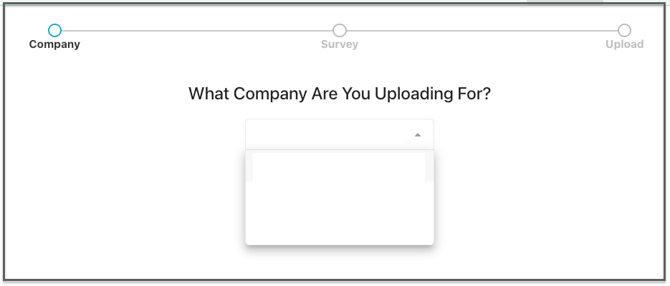
Note: If you have access to more than one company, you will need to select it in a dropdown before the next step (See notes below on submitting for multiple companies).
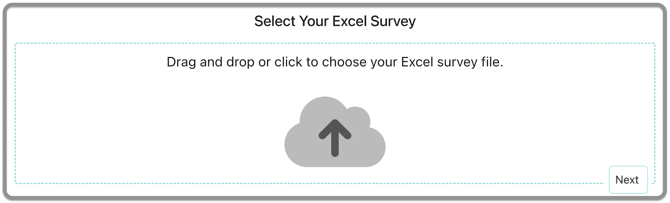
- Drag & drop, or upload your file, and click Next.
- Choose to "submit your file to the warehouse", or save the draft, and click Upload to complete the submission.

- You will receive a confirmation email once the survey is processed in our warehouse, or if there was an issue in processing it.
Links to the HARDI Annual Benchmarking Surveys
What if I Submit for Multiple Regions or Companies?
Each company is allowed one submission for the HARDI ABS. If your company has multiple outlets or regions, please compile your data and submit at the company level.
If you have access to upload for multiple companies, please submit one file for each company. Select the appropriate company from the drop-down menu before uploading.
BLUE HAWK Members:
If you are a BLUE HAWK member who uploads quarterly trial balance data to CoMetrics, your ABS survey will be pre-populated automatically, making submission faster and easier. Click here for information on where to find your pre-populated HARDI Annual Benchmarking Survey (ABS).
Have questions? Email us at support@cometrics.com — we're happy to help with any questions, additional information, or a walkthrough of the program. Email us
If you have any questions, would like more information, or a walkthrough of the program, please email us at support@cometrics.com.